Kingston NV3 SSD and FURY Beast DDR5: Building a Budget PC That Can Keep Up With Everyday Demands
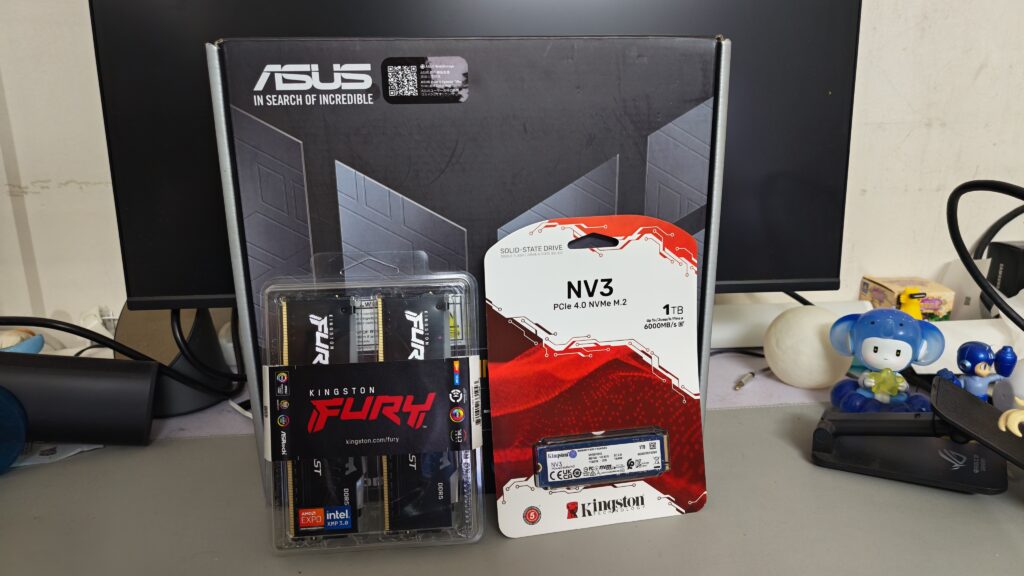
Building a capable PC does not always mean spending a fortune on high-end components. For gamers, content creators and everyday users, choosing the right hardware can make a meaningful difference to overall system performance without stretching the budget. Two components worth considering for a cost-effective PC build are the Kingston NV3 PCIe 4.0 NVMe SSD and Kingston FURY Beast DDR5 memory.
Both products are designed to bring modern performance to compatible desktop systems, offering faster storage and next-generation memory technology for a wide range of workloads. Whether the goal is to assemble an affordable editing machine, enjoy PC gaming while streaming, or breathe new life into an existing setup, these components provide a practical starting point.
Rather than focusing solely on benchmark numbers, the real question is how these upgrades perform during everyday use. From loading applications and managing multiple tasks to working through demanding editing projects, a balanced PC configuration can help users get more out of their hardware.
Kingston NV3 SSD: Fast Storage Without the Premium Price

Storage is one of the key components to consider when building or upgrading a PC. While processors and graphics cards often receive the most attention, a responsive SSD can significantly improve the everyday computing experience.
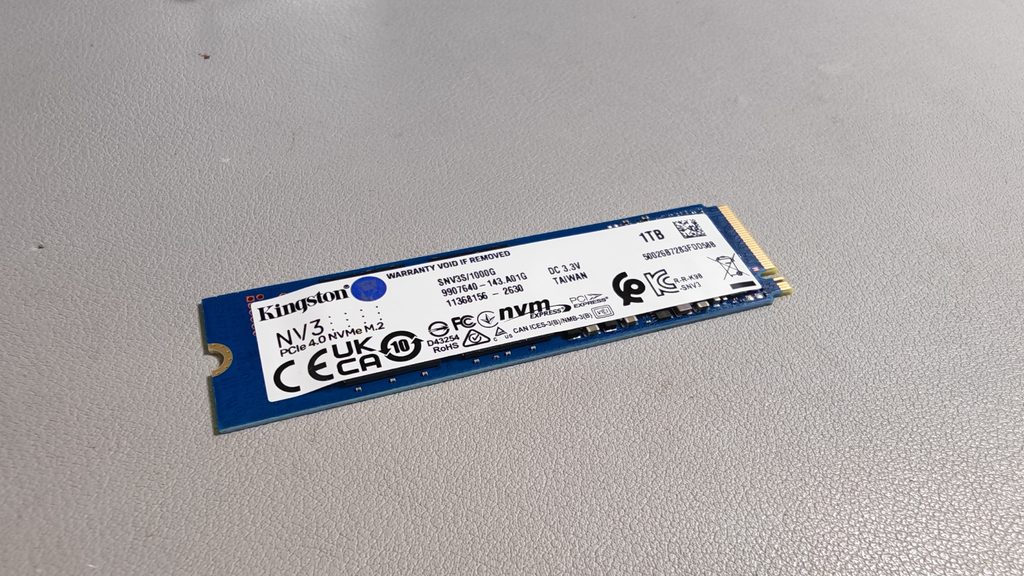
The Kingston NV3 is a value-oriented PCIe 4.0 NVMe SSD designed for mainstream desktop and notebook workloads. Using a Gen 4×4 interface and 3D NAND technology, it offers sequential read speeds of up to 6,000MB/s and write speeds of up to 5,000MB/s under specified test conditions with a compatible PCIe 4.0 system.

These speeds make the NV3 an appealing option for users who want faster storage for their operating system, frequently used applications, games and creative projects. Compared with traditional hard drives, an NVMe SSD can deliver substantially quicker file access and application loading, while also helping reduce waiting times during everyday tasks.
For content creators, storage performance becomes particularly relevant when handling large video files, project assets and other media. A fast SSD can make it more convenient to transfer footage, open project files and move between applications. However, the actual performance of an editing workflow will also depend on the processor, memory capacity, editing software and the characteristics of the source media.
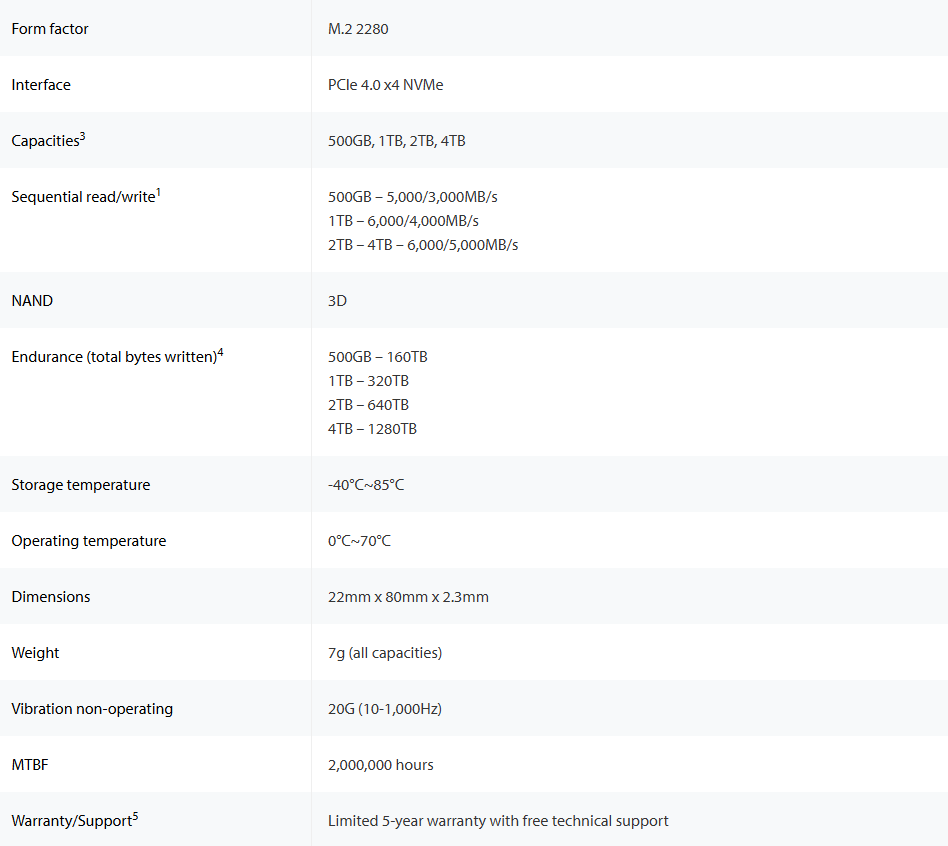
The NV3 is available in capacities ranging from 500GB to 4TB, allowing users to choose a configuration that suits their budget and storage requirements. Those building an entry-level gaming PC might prefer a smaller capacity to keep costs down, while creators who regularly work with high-resolution footage may benefit from investing in a larger drive.
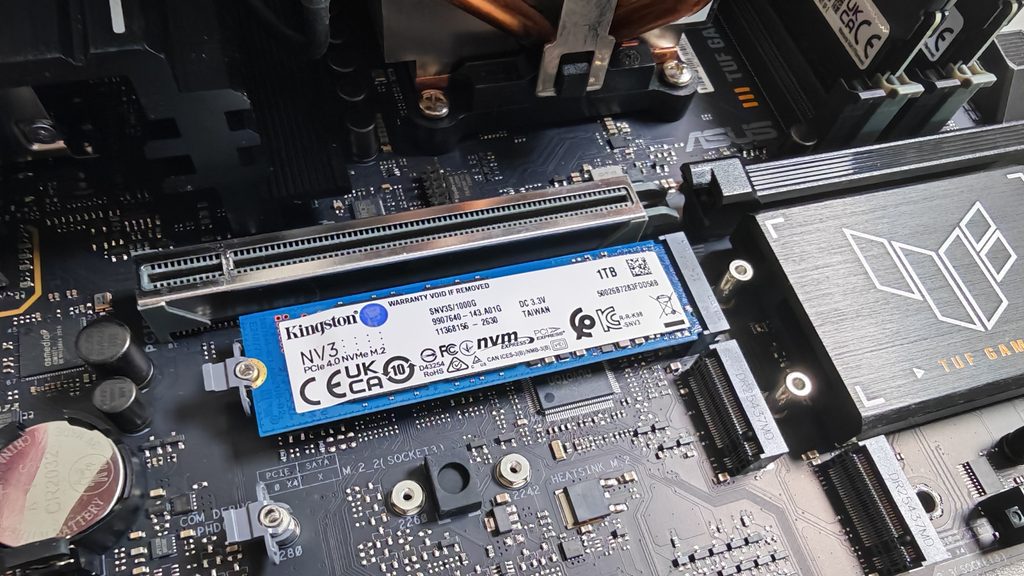
Its single-sided M.2 2280 design also makes installation straightforward in compatible desktop motherboards, laptops and small-form-factor systems. This slim form factor is especially useful for compact PC builds where internal space is limited.
Kingston also includes one year of Acronis cloning software, providing an additional option for users who want to migrate data from an existing drive rather than reinstall their operating system from scratch.
Another important consideration is product consistency. Kingston uses a multi-BOM manufacturing strategy for the NV3, meaning different combinations of controllers and NAND components may be used throughout the product’s lifecycle. According to Kingston, these configurations are researched and tested to meet or exceed the drive’s published specifications, with component qualification and production testing forming part of its quality-control process.
For users looking for a reasonably priced upgrade to modern NVMe storage, the NV3 offers a practical balance between performance, capacity and flexibility.
Kingston FURY Beast DDR5: Supporting Modern Multitasking
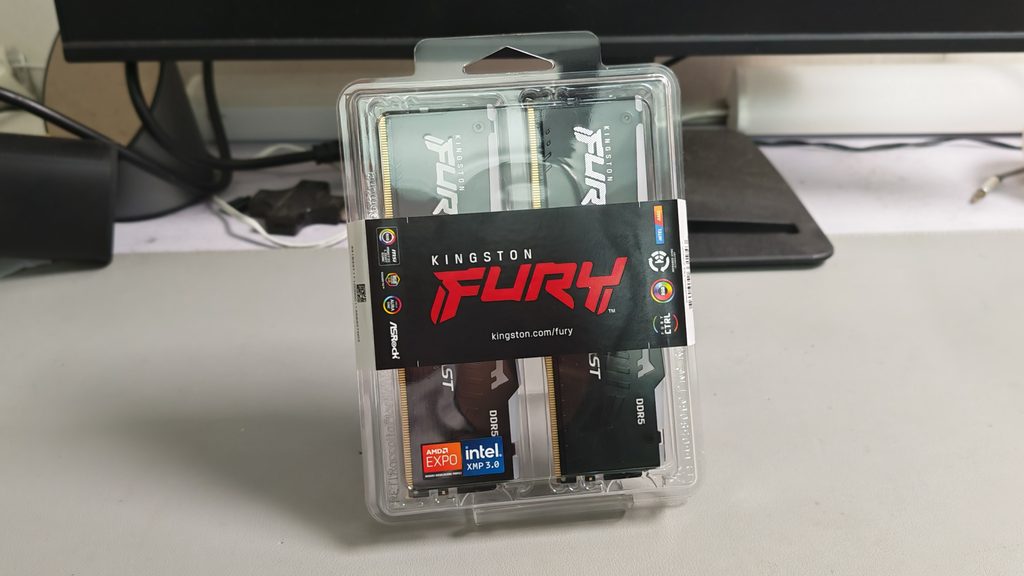
While fast storage helps applications and files load efficiently, system memory plays a different role. RAM provides temporary working space for the operating system and active applications, making it particularly important when several demanding tasks are running simultaneously.

The Kingston FURY Beast DDR5 memory series is designed for modern gaming platforms and performance-oriented PC builds. With support for Intel XMP 3.0 and AMD EXPO profiles on applicable models, it gives users a straightforward way to configure supported memory speeds and timings through a compatible motherboard’s BIOS.
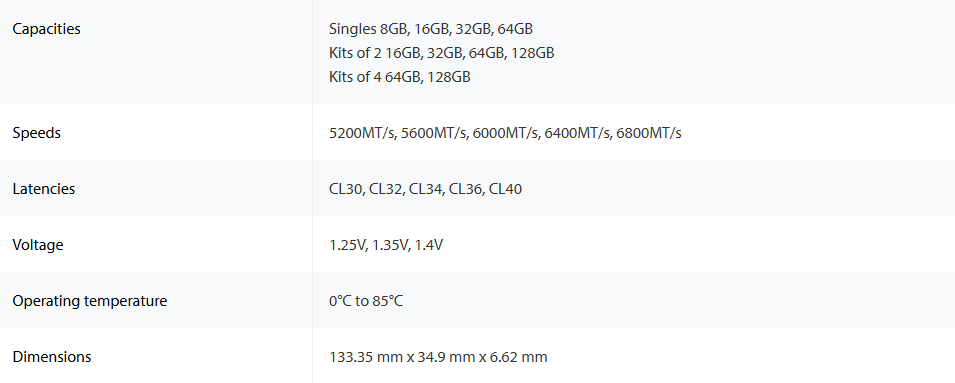
Available configurations include individual modules from 8GB to 64GB and two-module kits ranging from 16GB to 128GB. Depending on the specific model, supported speeds include 5200MT/s, 5600MT/s, 6000MT/s, 6400MT/s and 6800MT/s, with different latency and voltage options.
This flexibility allows builders to select a memory kit that fits their intended use. A budget gaming system may prioritise an affordable dual-module configuration, while a machine intended for video editing, animation or heavier multitasking may benefit from a higher memory capacity.
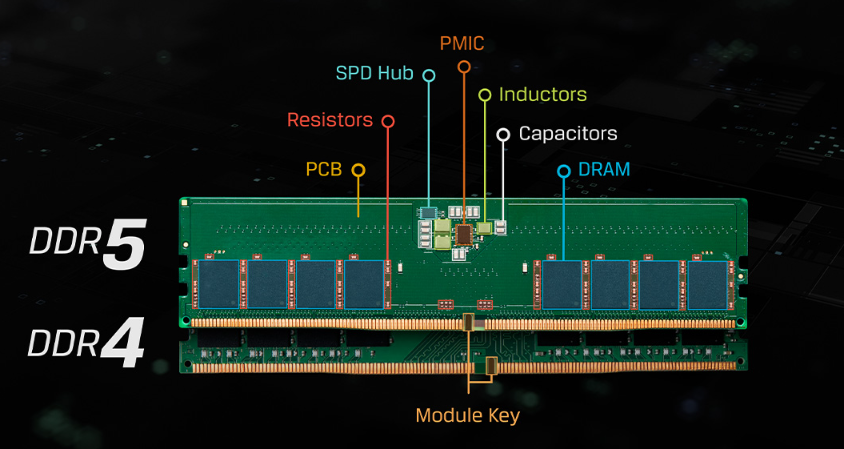
One of the notable features is on-die error correction code (ODECC), which helps detect and correct certain errors within the memory chip itself. This contributes to data integrity within the DRAM, although it should not be confused with full system-level ECC memory.

The FURY Beast DDR5 RGB models also add customisable lighting to the equation. Their redesigned heat spreader supports RGB illumination, while Kingston FURY Infrared Sync Technology helps synchronise lighting effects across the modules. Users can customise compatible lighting effects through Kingston FURY CTRL or supported motherboard RGB software.
Beyond appearance, the memory is designed to support stable performance when configured within the capabilities of the system. Selected models support Plug N Play operation at up to 5200MT/s, depending on the system BIOS, while XMP 3.0 and AMD EXPO profiles can enable higher advertised speeds on compatible hardware.
As with any memory upgrade, compatibility remains important. Buyers should check their motherboard’s supported memory generation, maximum capacity, qualified memory list and available profile support before purchasing.
Building a Budget PC for Video Editing
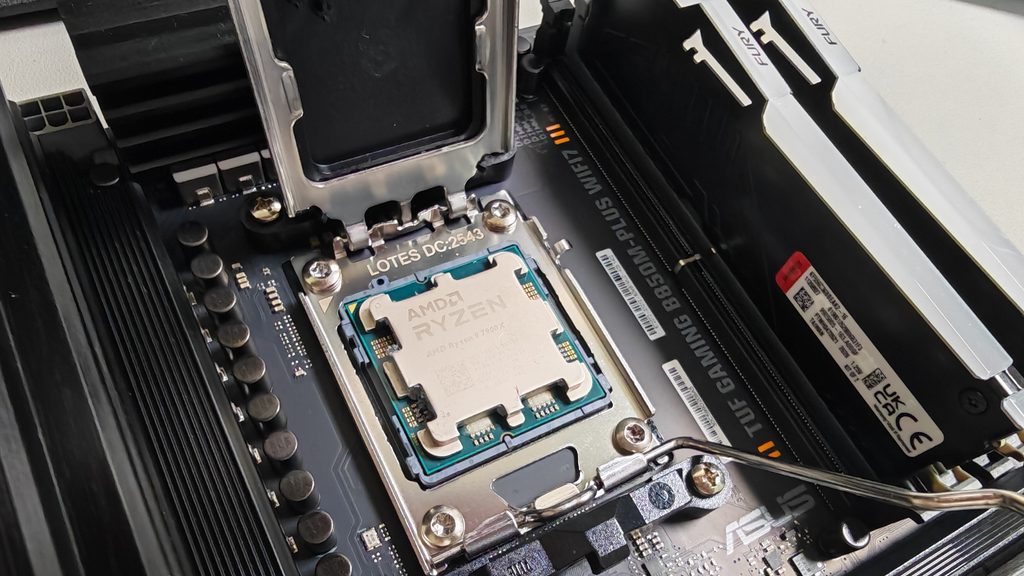
For creators working against tight deadlines, a responsive editing workstation can make the production process more manageable. A build combining the Kingston NV3 SSD and FURY Beast DDR5 memory offers an opportunity to prioritise two areas that influence everyday editing: storage responsiveness and multitasking capacity.
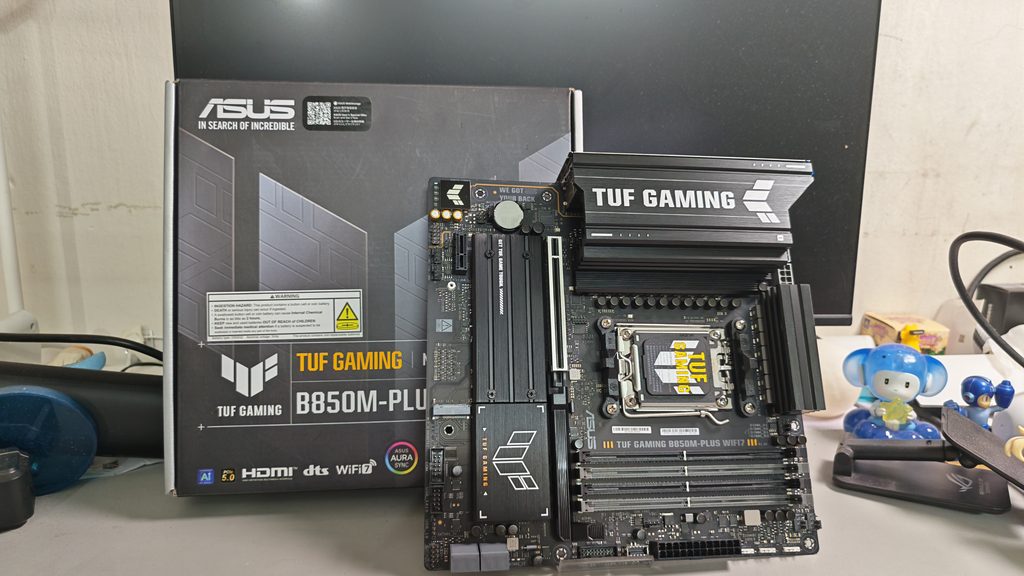
With that said, one of the best scenario is combining with an ASUS motherboard, what we have chosen is the ASUS TUF GAMING B850M-PLUS WIFI7. The very reason why we chose this is because this motherboard has all the essentials such as multiple PCIe slots, two expandable NVME storage, multiple SATA slot of more storage and supports for EXPO, which is just right to pair with our FURY Beast DDR5 RAM kit. It also features 14(80A) + 2(80A) + 1(80A) power stages that integrate high-side and low-side MOSFETs and drivers into packages rated for up to 80A each. This configuration ensures optimal power delivery, efficiency, stability and performance for both current and future AMD processors. This is definitely highly suitable for budget and mainstream gamers and content creators looking for an upgrade of build a new PC setup.
| Motherboard | ASUS TUF GAMING B850M-PLUS WIFI7 |
| Processor | AMD Ryzen 9 7900X |
| Memory | Kingston FURY Beast DDR5 RGB (8GB DDR5 5600MT/s) X2 |
| Storage | Kingston NV3 (1TB) |
| GPU | ASUS Nvidia GeForce RTX 4060 8GB |
| PSU | GAMEMAX GX‑1050(5.1) ATX3.1 Power Supply 1050W |
Above is our configurations on our PC setup, some of the configuration might be higher, but we are just showing the scenarios and mixture you can configure with it. AMD ecosystem offers vast majority of processors available within the AM5 platform which gives more room for future upgrade along with strong compatibility offers by many brands, including Kingston, ASUS and others.

Consider a typical editing session involving multiple video clips, audio tracks, transitions, colour adjustments and visual effects. With sufficient RAM, the system has more room to manage active applications and project data. Meanwhile, the NV3 provides fast storage for media files and project assets.
A practical test would involve importing footage, arranging a multi-layer timeline, applying colour corrections and effects, and exporting a finished video. Monitoring how the PC responds while switching between the editing interface, media folders and other applications would provide a useful picture of the overall experience.
For a 4K workflow, the amount of memory installed, processor performance, GPU acceleration and codec support will all influence playback smoothness and rendering time. Neither the SSD nor the RAM alone guarantees uninterrupted editing, but choosing appropriate components helps establish a more balanced foundation.
The goal is to build a machine that remains useful throughout the creative process, from organising source files to producing the final export. For students, independent creators and smaller production teams, that balance can be more valuable than spending the entire budget on a single premium component.
Gaming and Streaming on One PC
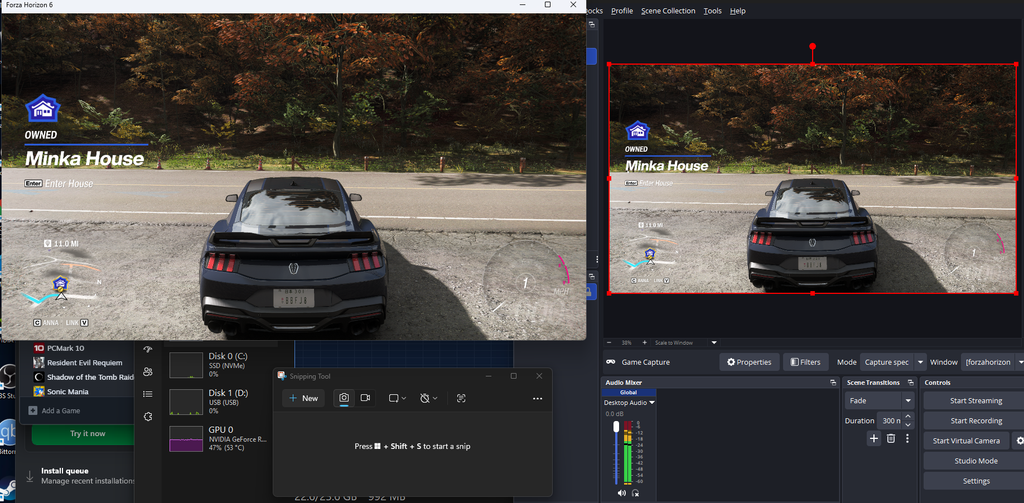
Gaming while streaming introduces another challenge: the system must handle the game alongside broadcasting software, live chat, browser windows and potentially additional recording or monitoring tools.
The Kingston FURY Beast DDR5 can provide the memory capacity and bandwidth needed to support these simultaneous tasks, while the NV3 offers responsive storage for games, applications and recorded footage.
A dual-monitor setup is particularly useful for demonstrating this kind of workload. One display can show an action-heavy game, while the second displays streaming software, chat messages and broadcast controls. Switching between these windows while maintaining a live session illustrates how the entire PC handles the demands of a typical streaming setup.
Of course, gaming performance still depends heavily on the processor and graphics card, and a system with insufficient memory can struggle regardless of its SSD. Streamers should also consider their preferred resolution, encoding method and target frame rate when planning a build.
For those assembling a budget-friendly gaming PC, the more sensible approach is to balance the CPU, GPU, RAM and storage rather than overspending on one component. The NV3 and FURY Beast DDR5 can form part of that strategy, leaving room in the budget for other essential hardware.
One Week of Pushing the PC

A useful way to evaluate a new PC build is to use it for real work over an extended period instead of relying exclusively on short benchmark tests.
A one-week power-user challenge could begin with everyday activities such as web browsing, document editing and application launches. The workload could gradually become more demanding, moving on to gaming, video editing, live streaming and multitasking across several applications.
By the end of the week, the system would have been used for a broader range of activities, providing a more practical view of its suitability for daily computing.

For the Kingston NV3, the focus would be on storage responsiveness, file transfers and application loading. For the FURY Beast DDR5, the emphasis would be on how much active work the system can comfortably manage with the selected memory capacity.
It is important to distinguish personal experience from controlled testing. Results can vary depending on the rest of the hardware, software configuration and workload, so any performance claims should be supported by actual measurements rather than assumptions.
Nevertheless, this approach highlights an important point: the best PC upgrade is one that improves the tasks users perform regularly, not simply one that produces impressive specifications on paper.
Refreshing an Existing PC Without Replacing Everything
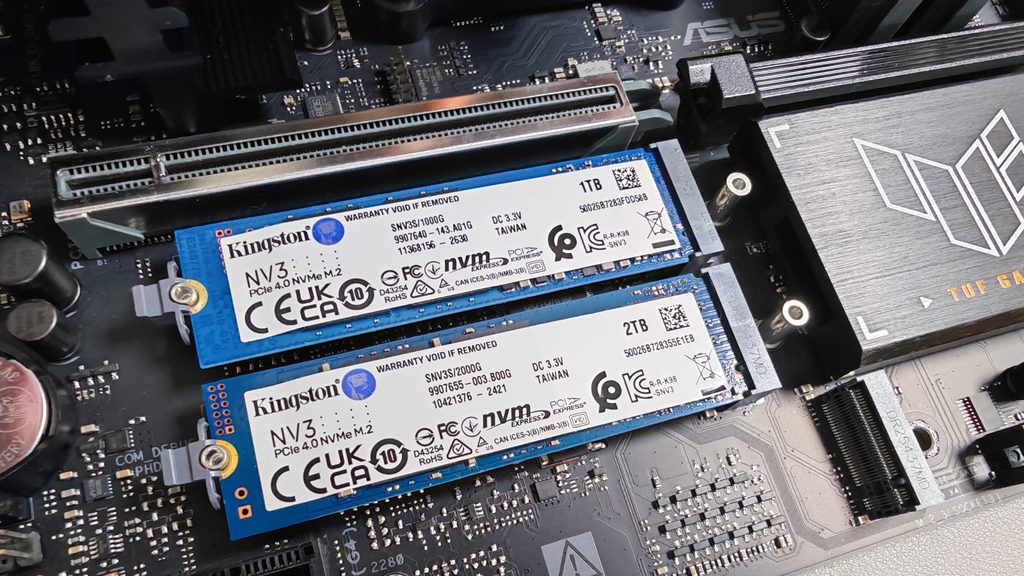
A complete PC replacement can be expensive, particularly when an existing system still meets most everyday needs. In some situations, a targeted upgrade offers a more economical way to extend its usefulness.
The Kingston NV3 can replace an older, slower storage drive, provided the motherboard or system supports the required M.2 NVMe interface. Moving an operating system and frequently used applications to an SSD can improve responsiveness compared with running them from a conventional hard drive.
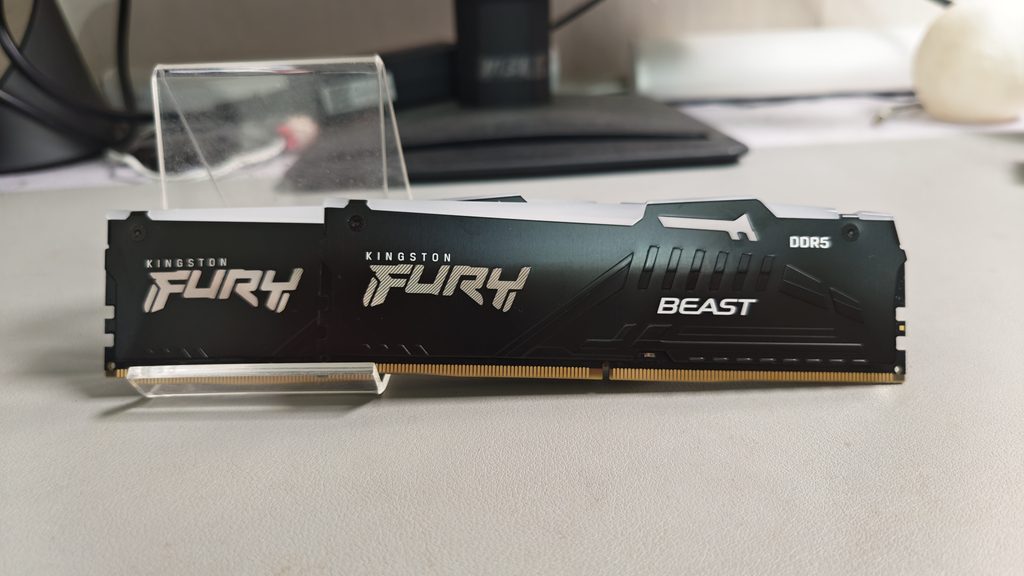
Meanwhile, upgrading to Kingston FURY Beast DDR5 may be an option for users moving to a compatible DDR5 platform. However, DDR5 memory cannot be installed in a motherboard designed exclusively for DDR4, so some upgrades may require a new motherboard and potentially a new processor as well.
This makes it important to assess the existing PC before buying components. Users should check interface compatibility, available memory slots, supported capacities and whether the expected performance improvement justifies the cost.
For those planning a new build or already using a DDR5-compatible system, combining the NV3 with FURY Beast DDR5 offers a straightforward way to prioritise storage and memory without automatically moving to expensive enthusiast-grade hardware.
The result can be a more capable everyday machine for work, study, gaming and creative projects, with the option to upgrade other components later.
Final Thoughts
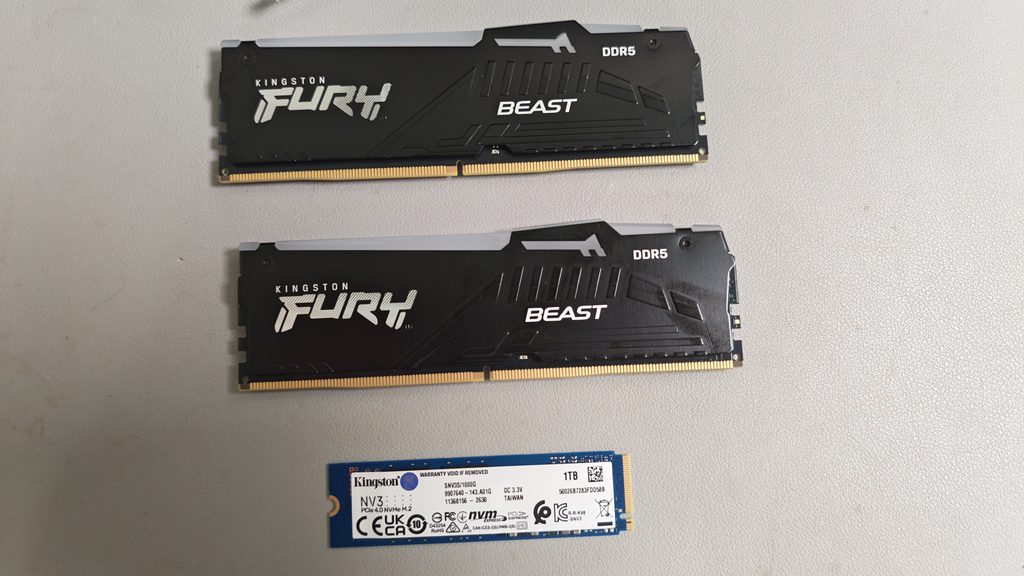
The Kingston NV3 SSD and Kingston FURY Beast DDR5 address two important parts of a modern PC: storage and system memory. The NV3 brings PCIe 4.0 NVMe storage with advertised sequential speeds of up to 6,000MB/s read and 5,000MB/s write, while FURY Beast DDR5 offers a range of capacities, speeds and optional RGB lighting for compatible systems.
Together, they provide a practical foundation for a budget-conscious PC build aimed at everyday computing, gaming, streaming and content creation. Their real-world value will ultimately depend on the overall configuration, workload and individual user’s needs.
For anyone planning a new PC or considering a targeted upgrade, the key is to spend strategically. A balanced system with suitable memory, responsive storage and an appropriately selected processor and graphics card can deliver a better experience than a build that focuses too heavily on a single component.
With the Kingston NV3 and FURY Beast DDR5, users have two options worth considering when putting together a modern, flexible PC without automatically stepping into the premium hardware segment.
Special Thanks to Kingston, ASUS, AMD for making this write-up possible.